 DualRead
Read the original. Understand every word.
DualRead translates whole books with AI and keeps both texts side by side. Tap once — the page flips from the original to the translation. Tap again — you are back. No dictionaries, no copy-paste, no losing your place.
Android · FB2, EPUB, TXT, DOCX, HTML · 29 interface languages
Why DualRead

Two languages, one book
The usual routine: an unfamiliar sentence, copy it into a translator, come back, find your place again. DualRead removes those four steps. The translation is already in the book, on the same page.
Original and translation, one book
You choose the translation language for a book, then switch between the original and the translation with a single tap — without losing your place in the text. No pause, no page reload.
One tapTwo-page spread
Turn your phone sideways or pick up a tablet and the book opens as two pages, like a printed one. Switching languages works the same way: the whole spread changes.
Dual pageTranslation that survives
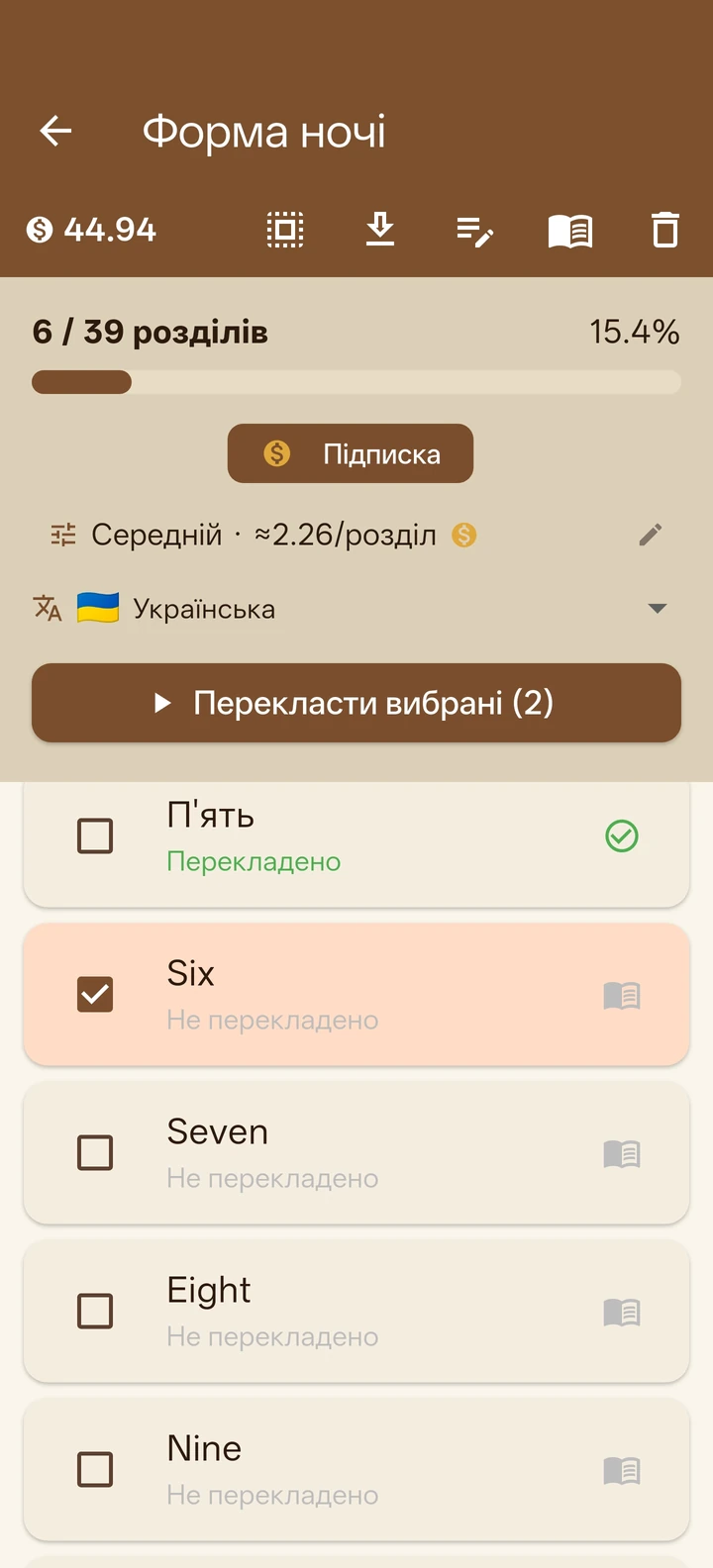
Send a chapter off to translate and our servers take over. Lost connection, closed app, system killing it in the background — the work carries on, and the chapter is finished when you come back. You never pay twice for what was already translated.
Server-sideNames do not change mid-book
Character names, place names and terms stay the same from the first page to the last. Some DualRead knows from built-in sets, new proper names it picks up while translating, and you can open the book's glossary at any time to fix an entry, add your own, or mark a character's gender so the grammar agrees.
Book glossaryYour key or our coins
Already have a key from OpenRouter, Gemini, Groq or OpenAI? Paste it in and use the app for free. Would rather not deal with any of that? Subscribe, and we take care of the models and the billing.
BYOK friendlyYour library, on every device
FB2, EPUB, TXT, DOCX, HTML — including zipped ones — with hyphenation, an even right margin, bookmarks and search. Books, bookmarks and your reading position travel through your own Google Drive: start on the phone, continue on the tablet from the same line. You can also export everything as a single file to keep a copy of your own.
5 formatsYou can just read
Translation is optional. Add your own books and read them like in any good reader: hyphenation, bookmarks, search and sync across devices. Turn translation on only when you actually need it.
No translation neededTranslation quality
A translation that actually reads like a book
Over a whole book, machine translation tends to fall apart: names drift, the tone jumps between chapters, dialogue stops looking like dialogue. Here is what we do about it.
You choose the level
Per book: faster and cheaper, or slower and better. A light read and a favourite novel do not have to be translated the same way.
Remembers what came before
Each new piece is translated while seeing the previous one. That is why the style and tense do not reset every few paragraphs, the way they do when a book is translated in disconnected chunks.
Knows who is telling the story
English "I said" carries no gender, but many languages force a choice. DualRead works it out per chapter — and does not get lost in books where the narrator changes.
Looks like a book, not like program output
Dialogue is set the way that particular language sets it: a dash in Ukrainian or Spanish, quotation marks in English or German. Together with hyphenation and an even margin, it reads like a normal edition.
Catches its own mistakes
If a piece of the translation is left in the wrong language, a sentence is cut off, or a paragraph goes missing, the app notices and translates that spot again without asking you.
Knows what kind of book it is translating
A novel, a fanfic, a research paper and a manual need different things: prose needs freedom, a professional text needs exact terminology. You set the book type, and the approach changes.
Server-side translation
The work happens on our servers, not on your phone
Queue up a few chapters and our servers take it from there. A dropped connection, a closed app, the system reclaiming memory — the queue survives all of it and the chapter gets finished. If one fails, we retry it ourselves and the coins for the failed attempt come back.
Privacy by design
Your books stay yours
We do not know what you read, and we do not want to. We collect only what translation cannot work without.
No personal data stored
We never store your email address — only a one-way hash of it for support. No name, no profile, no tracking of your reading.
No payment data, ever
All billing goes through Google Play. Your card and payment details never touch our servers — we simply never see them.
Your book text is not logged
Chapter text is sent only to translate it; the result is briefly buffered until your device fetches it. We never write book content into our logs.
Encrypted, and deletable
Everything is encrypted in transit, sensitive values encrypted at rest — and you can delete your account and identities from inside the app at any time.
No ads in the reader
And there never will be. While you are reading, the page holds nothing but the text of your book — no banners, no interstitials between chapters. Ads live only on utility screens such as the library and settings, and a subscription removes them there too.
A quick look
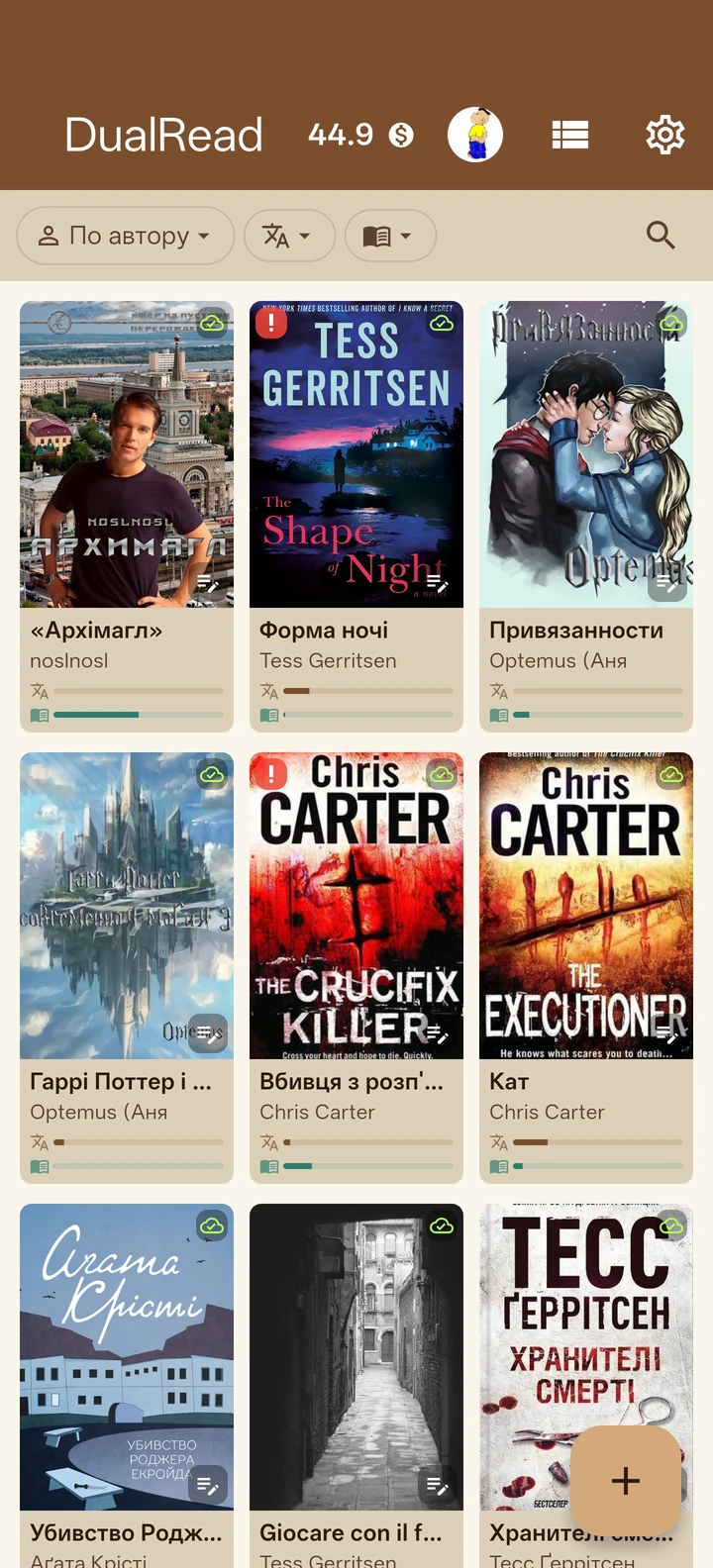
Made for long reading, not quick lookups
Pricing
Free with your key. Effortless with ours.
Every plan unlocks the same reader. The free plan uses your own AI key and shows ads from Google; a subscription removes ads and gives you coins with server-side translation.
Free
- Any provider: OpenRouter, Gemini, Groq, OpenAI
- All reader features included
- Supported by ads from Google
Basic
- No ads
- Cloud translation queue
- Unused coins roll over
Plus
- No ads
- Cloud translation queue
- Unused coins roll over
Max
- No ads
- Cloud translation queue
- Unused coins roll over
Coins pay for translation by chapter length and tier. Failed chapters are refunded automatically. Manage or cancel anytime in Google Play.
Ran out of coins?
You can top up with a pack — a one-off purchase, no subscription and nothing renews.
80 coins
- Purchased coins never expire
- No subscription needed
170 coins
- Purchased coins never expire
- No subscription needed
360 coins
- Purchased coins never expire
- No subscription needed
A pack is what you want when the coins run out mid-book. If you translate regularly, a subscription gives you more coins for the same money.
What does a chapter cost?
You pick the level per book. A standard 15,000-character chapter costs:
The price scales with length: a chapter half as long costs half as much. Chinese, Japanese and Korean sources cost 30 % more. As a feel: 100 coins is about a hundred standard chapters on Basic, or 11 on Pro.
Questions
Good to know
Do I need a subscription to use DualRead?
No. You can use DualRead free with your own AI provider key (OpenRouter, Gemini, Groq or OpenAI). A subscription is just the effortless path — it removes ads and lets our servers handle the translation with coins.
What is the difference between the free and paid versions?
The reader is identical. The free version translates with your own API key and shows ads from Google. A subscription removes ads, gives you monthly coins and moves translation onto our servers: a chapter you send off finishes even if the app closes or the connection drops.
Where is my book text sent, and is it stored?
Chapter text is sent to an AI provider only to produce the translation. The result is buffered briefly until your device fetches it, and book text is never written into our logs. We do not use your books to train models.
Which formats and languages are supported?
DualRead reads FB2, EPUB, TXT, DOCX and HTML, translates books into 28 languages, and has an interface in 29 languages. Your library, bookmarks and reading position sync via your own Google Drive.
How does DualRead keep names consistent across a whole book?
A glossary engine pins character and place names, and an auto-glossary learns new proper nouns as the book is translated — so the same name is rendered the same way in every chapter.
What languages can DualRead translate books into?
You can translate a book into 28 languages — from English, Polish and German to Greek, Turkish and Georgian. You pick the target language per book. The app interface itself is available in 29 languages.
Can I switch between several translation languages in one book?
A book holds one translation at a time: you choose its language, then switch between the original and that translation with a single tap. To read it in another language you translate the book again — the new translation replaces the previous one.
Does DualRead work offline?
Reading does. Books you have already translated are fully available offline, together with bookmarks and your reading position. You only need a connection for the translation itself and for syncing between devices.
How much does translating a book cost?
With your own AI provider key you pay only what your provider charges — the app itself is free. With coins, a standard 15,000-character chapter costs 1 coin on Basic, 4 on Standard and 9 on Pro, and a shorter chapter costs proportionally less. Coins come with a subscription; if you run out, you can buy a one-off pack of 80, 170 or 360 coins.
Can I correct how a name or term is translated?
Yes. Every book has a glossary of names and terms you can open and edit: add your own entry, fix an existing one, or mark a character's gender so verbs and adjectives agree correctly. Changes apply to all following chapters.
Does the type of book affect the translation?
Yes. Fiction, popular non-fiction and professional texts are translated differently: prose needs freedom and natural phrasing, while a technical or medical text needs exact terminology and no embellishment. You set the book type in the translation settings.
Can I use DualRead as a plain reader, without translating anything?
Yes. Add a book and read it in its original language — translation is entirely optional. The whole reader is free: hyphenation, bookmarks, search and Google Drive sync.
Will ads interrupt my reading?
No. There are no ads in the reader at all — while a book is open the screen shows only its text. Ads appear only on utility screens such as the library or settings, and a subscription removes them completely.
Ready when you are